
sed tutorials, labs & MCQs.
The most practical sed path for VLSI — built around real RTL/DV/PD workflows, not generic Linux text-processing, in four progressive stages. Foundations: what a stream editor is, where sed appears in an RTL-to-signoff flow, how it differs from grep, awk and Python, and the read-apply-print cycle that explains every later command. Core sed mastery: substitution in full (occurrence flags, delimiters, escaping, & and backreferences), basic versus extended regular expressions, addresses and ranges, printing, deleting, inserting and scoped command blocks, then the advanced depth of hold space, multiline processing, branching and script files. Safe engineering automation: what -i really does, GNU versus BSD portability, dry-run and diff validation, regex overmatching, sed inside pipelines, shell quoting, NUL-safe batch file selection, and when the task belongs in Tcl or Python instead. Semiconductor applications: filelist and include-path migration, identifier renaming with word boundaries and the limits of text-based RTL refactoring, simulator run-script updates, UVM log and regression normalisation, synthesis library paths, SDC and timing-corner migrations, timing-report extraction, and four case studies ending in the review reasoning a mass edit has to survive.
Tutorials
Learn sed from beginner to advanced through structured tutorials.
Labs
Practice sed using progressively challenging hands-on labs.
MCQs
No MCQ papers for sed yet.
What sed is
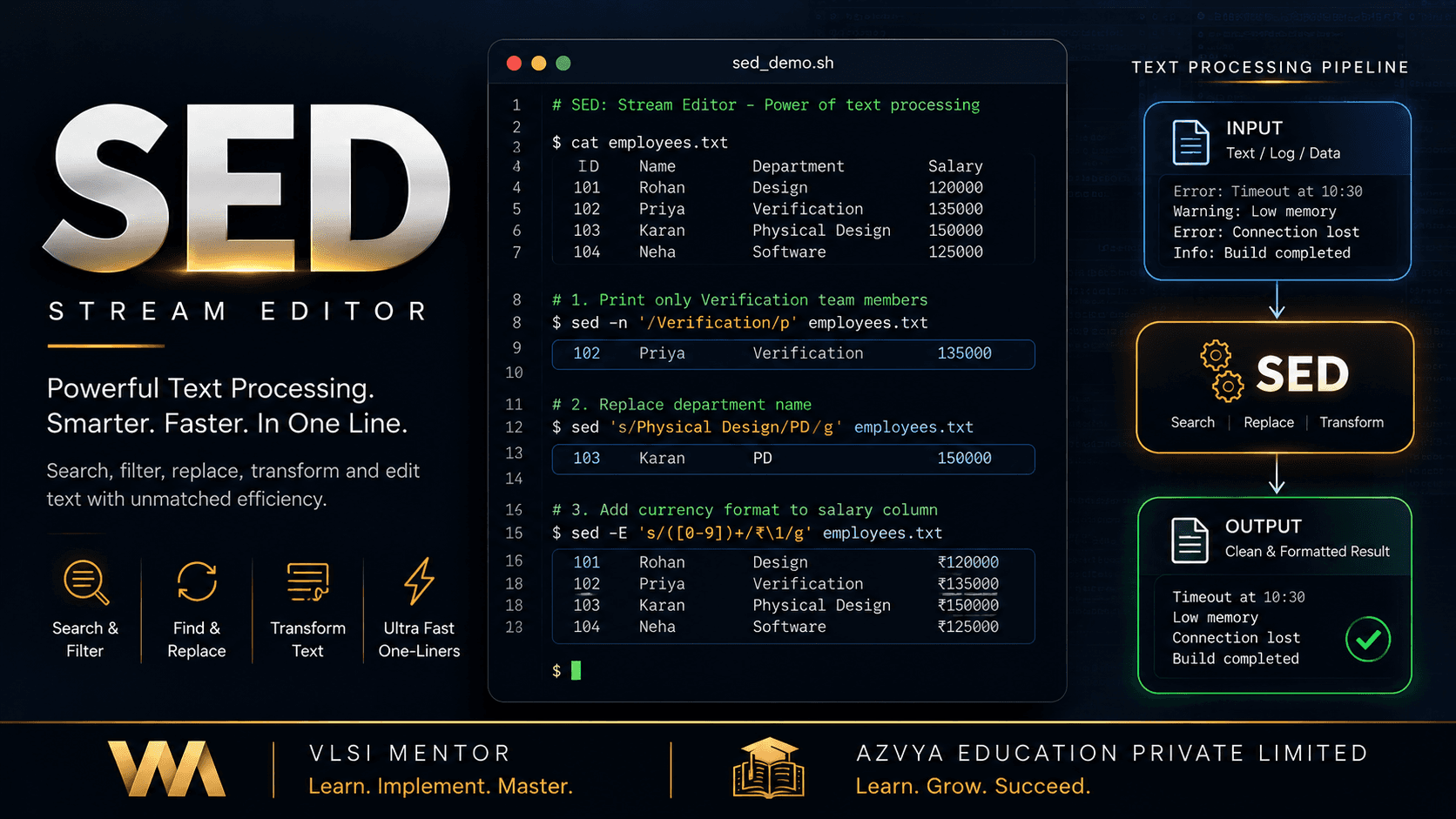
sed is a stream editor: it reads text one line at a time, applies an instruction written once, and prints the result. Nothing opens on screen and nothing waits for input, which is what separates it from the editor an engineer already knows and what lets it sit inside a pipeline or an unattended script. Its everyday job is the substitution — find a pattern on a line, put something else in its place — applied uniformly across a stream or a set of files. In a chip project that covers the text nobody thinks of as code: compile filelists and include paths, simulator run scripts, synthesis and timing Tcl, SDC references, and the logs a regression leaves behind. sed parses none of those formats. It matches characters, which is both why one short command can retarget three hundred filelists and why the discipline around it matters as much as the syntax.
Why it exists
The same small edit repeated across thousands of lines or hundreds of files is work that needs no judgement, and a person doing it by hand is exactly when lines get missed. A library moves, a tool option is renamed, a timing corner is respun: each change is mechanical, describable, and tedious at scale. sed exists for that class of work, and because it streams rather than loading a file, one command serves a three-line filelist and a 50 MB timing report with its memory use roughly unchanged.
The part engineers get wrong
A sed command that exits without an error has proved only that the instruction was well formed — not that it matched what you meant, and not that it left everything else alone. Those are separate claims, and only reading the output settles them. The failure is silent: a pattern matches wherever it appears, including inside a comment, a string, or a longer identifier that merely begins the same way, and sed rewrites every one of them and exits zero. That is why this track teaches previewing before writing, and why it draws a hard line at HDL. sed has no model of module hierarchy, scope, macro expansion or timing semantics, so renaming a signal correctly everywhere it is genuinely that signal — and nowhere it is not — is refactoring, and belongs to a tool that has actually parsed the language.
Before you start
- Comfort running a command in a terminal and knowing where your files are
- The ability to read a plain text file — no programming experience is assumed
- Helpful but not required: having seen a Unix pipe; regular expressions and shell quoting are taught in this track, not assumed
What you will be able to do
- Predict what a substitution prints from the input and the command alone, before running it
- Write and read s/pattern/replacement/, choosing a delimiter that keeps a path-heavy command legible
- Tell first-match from global replacement, and decide which a given line actually needs
- Quote a sed instruction so the shell hands it to sed exactly as written
- Select the lines a command may touch using line numbers, patterns, ranges and negation
- Build patterns in the right regular-expression dialect and anchor them so they stop matching more than intended
- Print, delete, insert and change whole lines, and scope several commands to one region
- Read a script that uses hold space, multiline processing or branching, and judge when that depth is warranted
- Edit files in place safely — dry run, diff, backup, and a rollback that exists before the command runs
- Diagnose a command that ran cleanly and still produced the wrong result
- Apply all of the above to filelists, include paths, simulator scripts, synthesis and STA Tcl, SDC references and regression logs
- Recognise when a change depends on meaning rather than text, and reach for a syntax-aware tool instead
The learning path
- Part I — FoundationsWhat a stream editor is and the problem it solves; where sed appears in an RTL-to-signoff flow; how it differs from grep, awk and Python; the read-apply-print cycle, and the first commands run end to end
- Part II — Core sed MasterySubstitution in full — occurrence flags, delimiters, escaping, capture groups; basic versus extended regular expressions; addresses and ranges; printing, deleting, inserting and scoped command blocks; then hold space, multiline processing and branching as advanced depth rather than a prerequisite for the work that follows
- Part III — Safe Engineering AutomationWhat in-place editing really does and where GNU and BSD diverge; dry runs, backups and diff review; regex overmatching and the errors that stay silent; sed inside pipelines and scripts, shell quoting, NUL-safe batch file selection, and the point at which a task belongs in Tcl or Python
- Part IV — Semiconductor ApplicationsFilelist and include-path migration; identifier renaming and the limits of text-based RTL refactoring; simulator run-script updates; UVM and regression log normalisation; synthesis library paths, SDC and timing-corner migrations, timing-report extraction; then case studies ending in the review reasoning a mass edit has to survive
Core concepts
New to sed? Work through the curriculum in order — each lesson assumes the one before it, and the sequence is what turns the roadmap above into working knowledge.
Already working with it? Use the core-concept links above to jump straight to the topic you need; each one opens the lesson that covers it in most depth.
Where this leads
Standards: IEEE Std 1003.1 (POSIX) — the sed utility — Specifies the commands, addressing and basic regular expressions every implementation is expected to provide; the portable baseline a script written for a shared compute farm should target · GNU sed Manual — Documents the implementation most Linux systems ship, and marks which behaviours are GNU extensions beyond the POSIX baseline rather than portable guarantees